
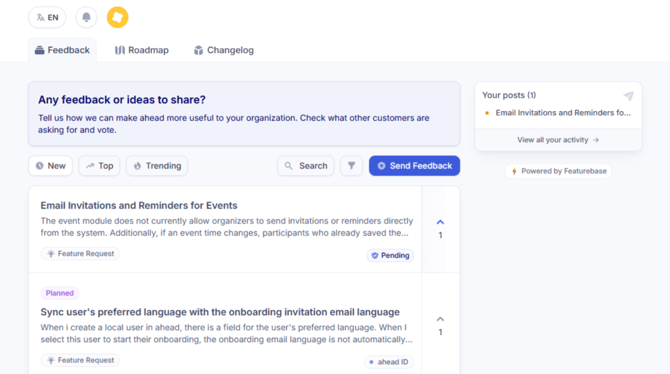
The ahead Feedback & Roadmap Portal is the central place to share product feedback and feature requests, discover what other customers are talking about, and follow how ideas move from suggestion to release. It gives you transparency into what we are considering, building, and delivering.
Giving consent to enable the Portal for your organization
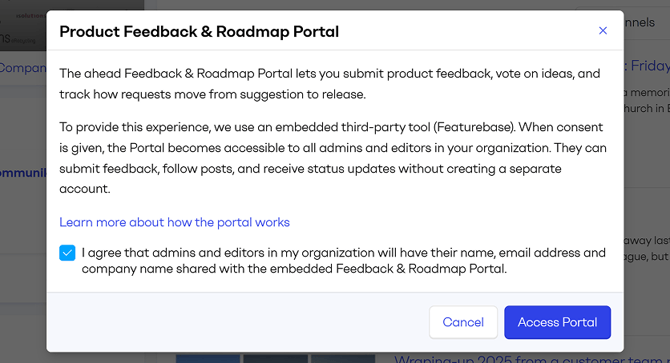
Before the Portal can be accessed, it must first be enabled by a company admin by providing consent.
Why is consent required?
The Portal integrates the third-party tool Featurebase to provide product feedback and roadmap functionality.
To enable this functionality and provide a streamlined experience, ahead s+hares the following user data with Featurebase: User name, User email address and Company name.
How to enable the Portal
Only admins within your organization can enable the Portal by giving consent. Once the first admin accepts the consent, the Portal is activated for the entire company. From that moment on, all admins and editors have access.
Here's how to enable it:
-
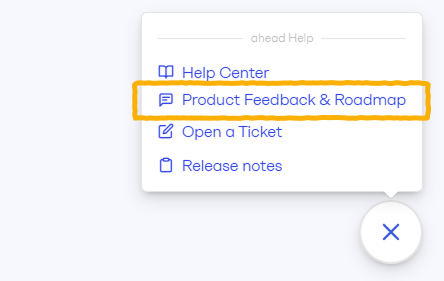
Click the ? icon in the bottom right.
-
Select Product Feedback & Roadmap.
-
Review the information, check the checkbox and click Access Portal
Accessing the Portal
Once consent is given by an admin, the Portal can be accessed directly from within the ahead app.
-
Open ahead.
-
Click the ? icon in the bottom right.
-
Select Product Feedback & Roadmap. This link is only visible to admins and editors.
When you access the portal from inside the app, you are automatically identified. You do not need to enter your name or email to submit feedback.
Overview of the Portal
The portal consists of three main areas, offered in tabs:
-
Feedback – Submit ideas and interact with requests from other customers.
-
Roadmap – See what we are currently evaluating, planning or building.
Feedback
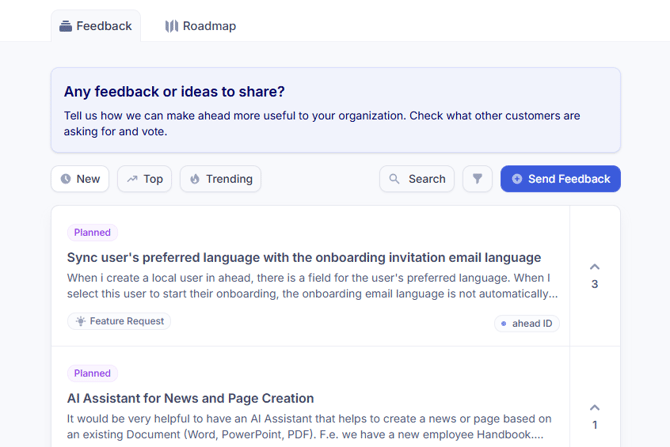
This is where ideas are submitted and discussed. You can share your own feedback, explore existing requests, vote on ideas, follow posts, and join discussions.
How we keep feedback useful and anonymous
The Feedback Portal is a shared space for ahead customers. Published posts can be viewed and discussed by others.
All feedback is reviewed by the Product Team before publication. If a post includes names, locations, project names or very specific details, we will anonymize and generalize it before publishing, so it remains clear and relatable for other portal visitors. We recommend using generic descriptions whenever possible.
If your request requires detailed company-specific information or contains screenshots or attachments, we will keep the post private so it is only visible to you and the ahead Team.
Submitting feedback
-
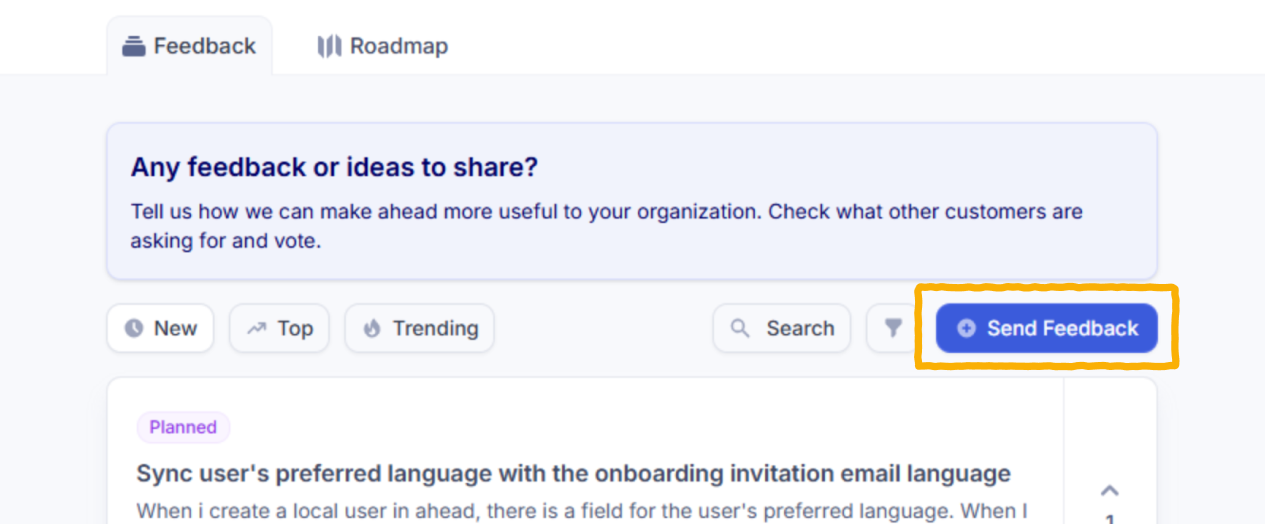
Click Send feedback.
-
Add a clear title and a detailed description.
Be specific. Clear problem statements increase the likelihood of correct prioritization. -
Attach images or files if helpful.
- Click Submit Post
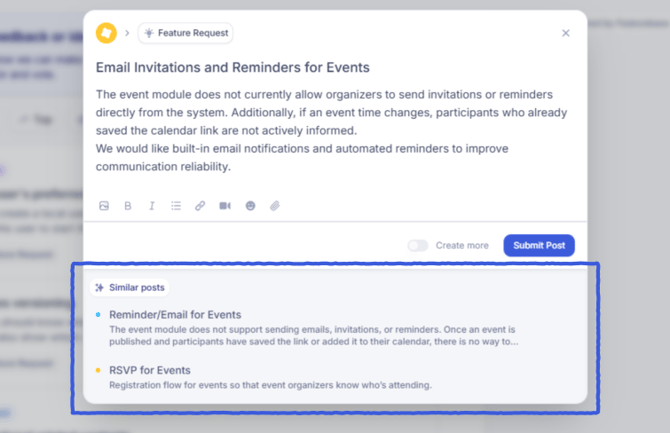
Suggested Similar Posts
While you are writing, similar posts will be suggested automatically.
If an existing post already reflects your request, you can vote on it instead of creating a new one. Voting helps consolidate requests and prevents duplicates.
If your use case adds new context or a different perspective, you can proceed with your own post.
Moderation
Every submission is reviewed by our Product Team before it becomes visible in the public feed.
We may approve the post and publish it, merge it with an existing request or keep it private if necessary. Sensitive information is removed during this process. Read the privacy note
Feedback lifecycle: From idea to delivery
After publication, each post moves through defined statuses as we evaluate and work on it. 👉 Check the meaning of each status in the portal
If notifications are enabled, you will receive updates when:
-
The status of your post changes
-
Someone comments on a post you follow
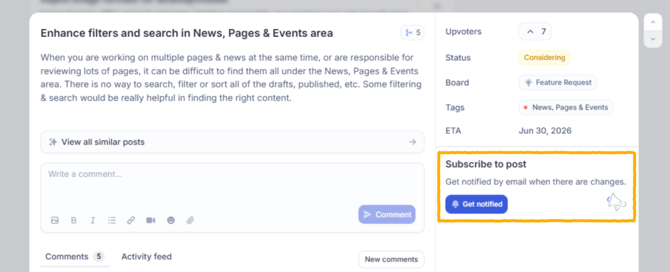
You can follow any post by opening it and clicking Get notified.
Tracking your feedback posts
You can track your submitted posts and their current status in two places:
-
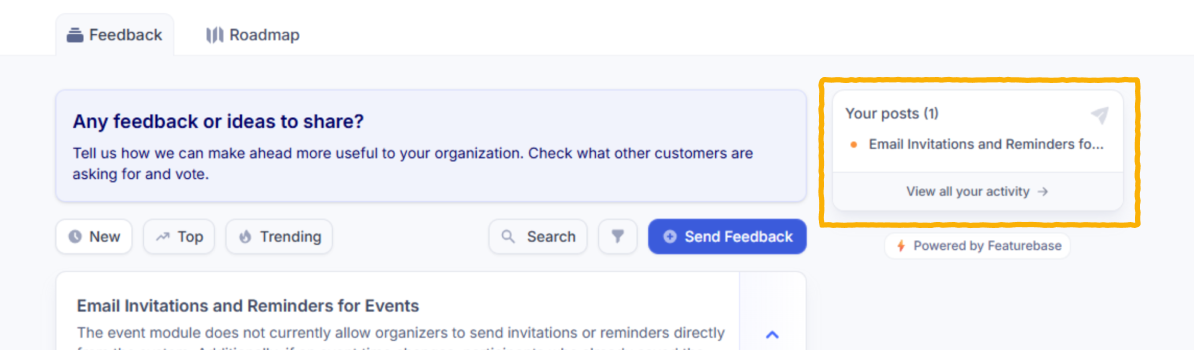
The Your posts section on the right side of the Feedback tab
-
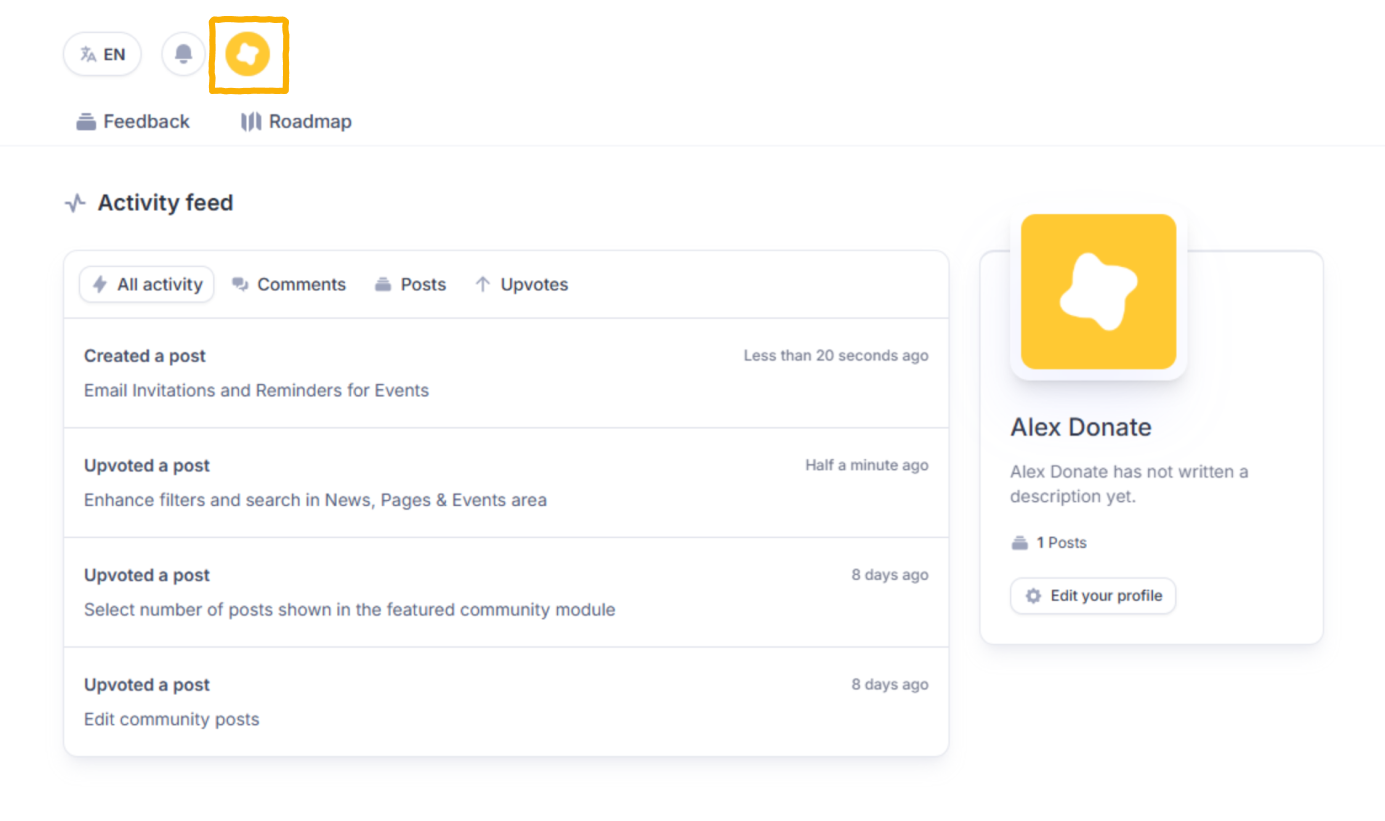
Your Profile section at the top of the portal
Feedback feed and filters
The feedback feed displays all approved posts from ahead customers. It allows you to discover common themes and understand what others are requesting.
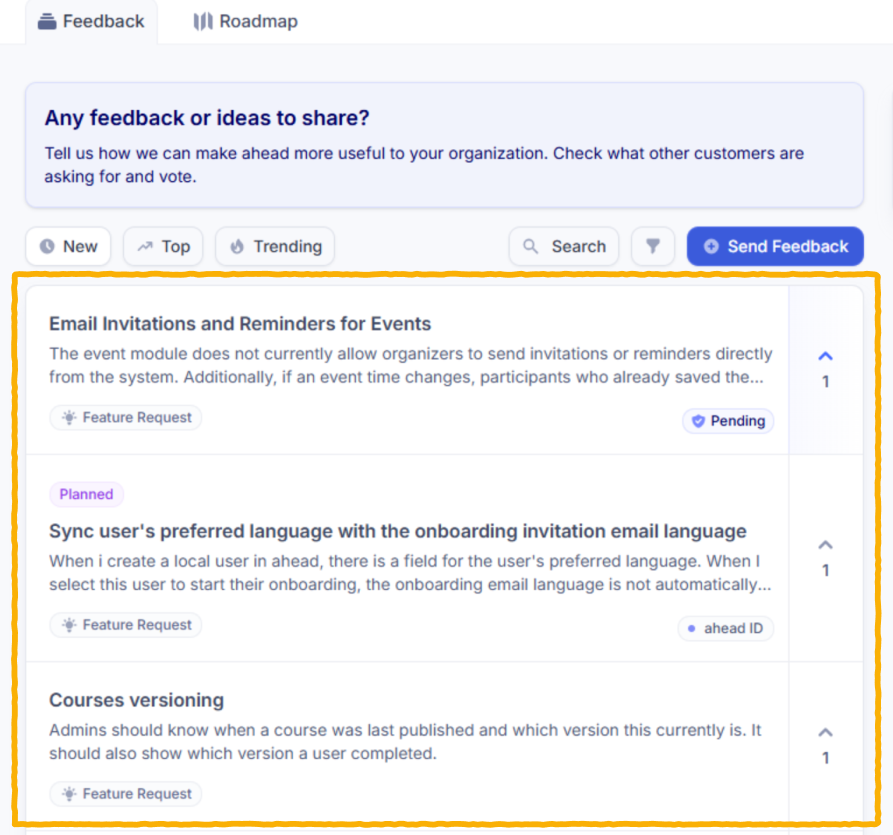
For each post, you can see its status and the number of votes it has received.
You can search the feed and apply filters.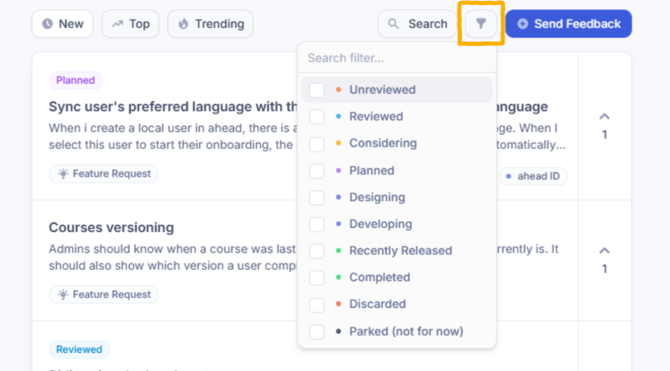
Sorting options include:
-
New: most recent posts first
-
Top: most voted posts first
-
Trending: a mix of recent and high-demand topics
You can also filter by tag, such as Learning, Communities, Stories, or Analytics, and by status.
Comments
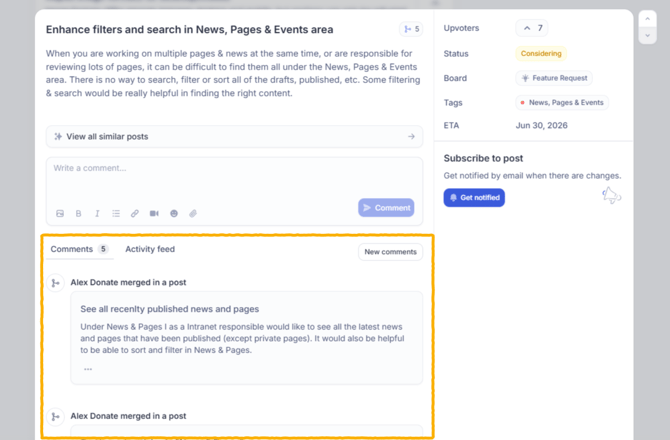
Each feedback post includes a comments section. You can leave anonymized comments to clarify your request, add context, or ask questions. We also use comments to share relevant updates.
Roadmap Tab
The Roadmap shows what we are actively evaluating and building. It is organized into four columns: Considering, Planned, In Progress and Released.
The roadmap does not communicate delivery dates. The position of a feature within a column does not indicate priority or release order.
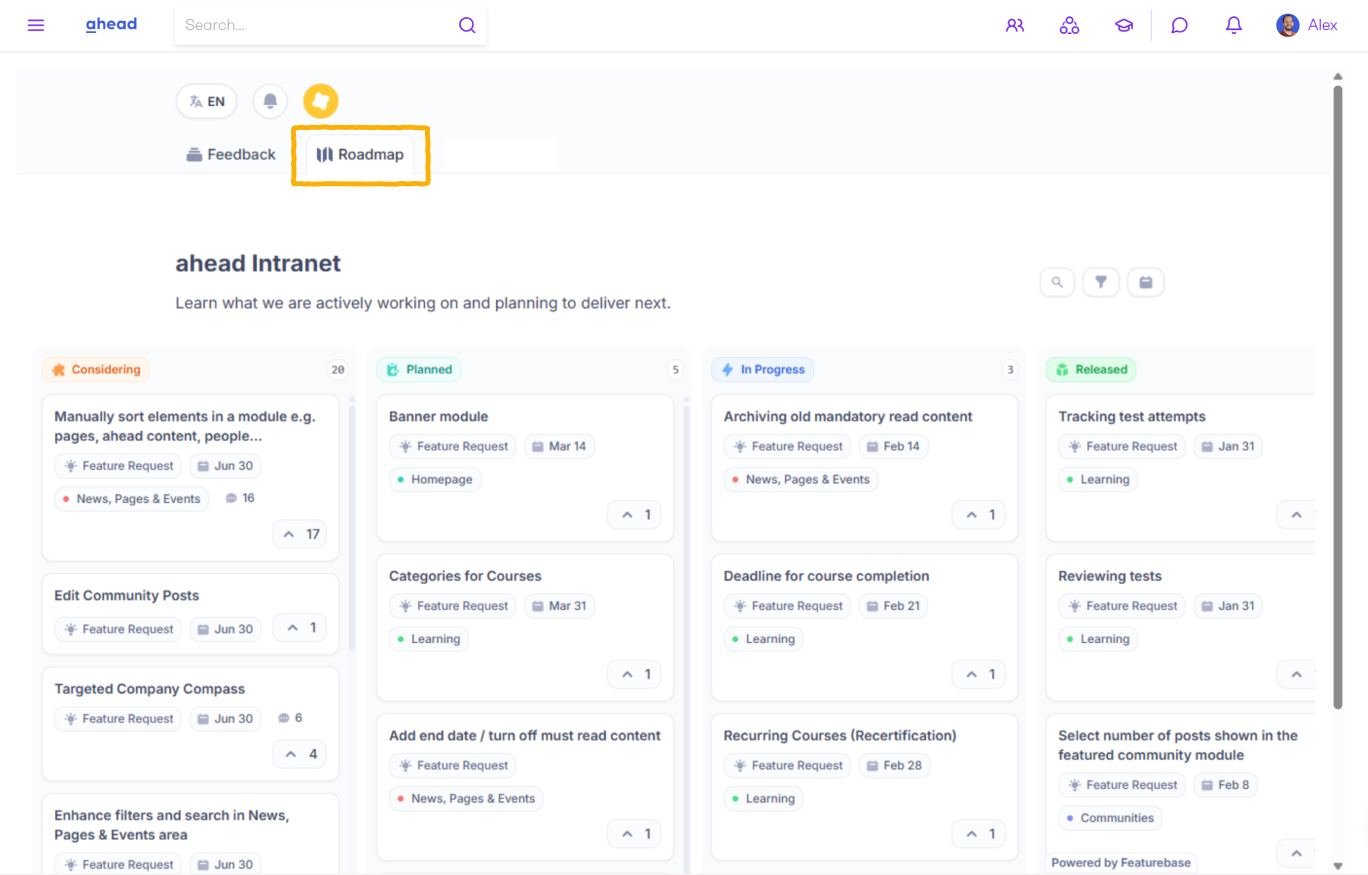
You can filter the roadmap by tag to focus on specific product areas.
Annex: Status definitions
As feedback moves from submission to delivery, it progresses through different statuses. These statuses reflect how we (the ahead Product Team) evaluate, prioritize and build improvements.
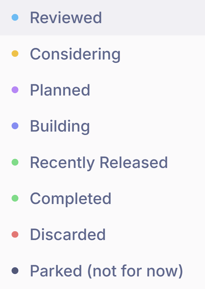
Reviewed
Your post has passed moderation and initial review. We understand the problem or request, but no decision has been made yet.
From post submission to Reviewed may take up to 48 hours. At this stage, we may contact you for clarification or additional input.
⏩ From here, the post can move to Considering or Discarded.
Considering
We are actively researching the request and evaluating possible solutions. This does not mean it is committed yet. It means we are assessing feasibility, impact and alignment with our product direction.
⏩ From Considering, the post can move to Planned, Parked or Discarded
Planned
We have decided to deliver a solution. The request is prioritized and part of our product plans.
Delivery timelines can range from a few weeks to several months, depending on complexity and other priorities.
⏩ Normally, Planned items move to Building next.
In rare cases, a Planned item may return to Considering or be Parked if unexpected complexity or constraints are discovered.
Building
We are actively designing or developing the feature.
Release can range from days for smaller improvements to a few months for larger initiatives.
⏩ Once completed, it moves to Recently Released.
Recently Released
The feature has been delivered and is now available in ahead. Items remain in Recently Released for up to one year so customers can easily track what is new.
Completed
The feature was released more than one year ago and is now part of the standard product.
Parked
The idea is valuable and aligned with our direction, but it is not prioritized for the foreseeable future, typically within the next 12 to 18 months.
⏩ A Parked idea can move back to Considering if demand increases or if strategic priorities change.
Discarded
The request is not aligned with ahead’s product strategy or does not provide broad value to customers. This does not mean the idea is invalid. It means we have decided not to pursue it.